
HANDS-ON · Click · Food truck · Community activities
A Food Truck Checkout App Built and Used with Click — Including a McDonald’s-Style Order Number Display
A project built and used by Appruto’s operator · Published:
The original app screens and workflow diagram are in Japanese.
Supporting students’ food truck with a no-code app!
The student group Yukiwatari, which works on regional revitalization, runs a food truck.
For one of their events, I used the no-code app development platform Click to build an app that manages the whole process, from taking orders and handling checkout to preparing food and handing it to customers.
This time, I even built a screen that displays customers’ order numbers, like the ones you see at a McDonald’s counter!
We put the app to work during actual service.
So, would it be useful in practice?
Supporting the Students’ Food Truck with an App
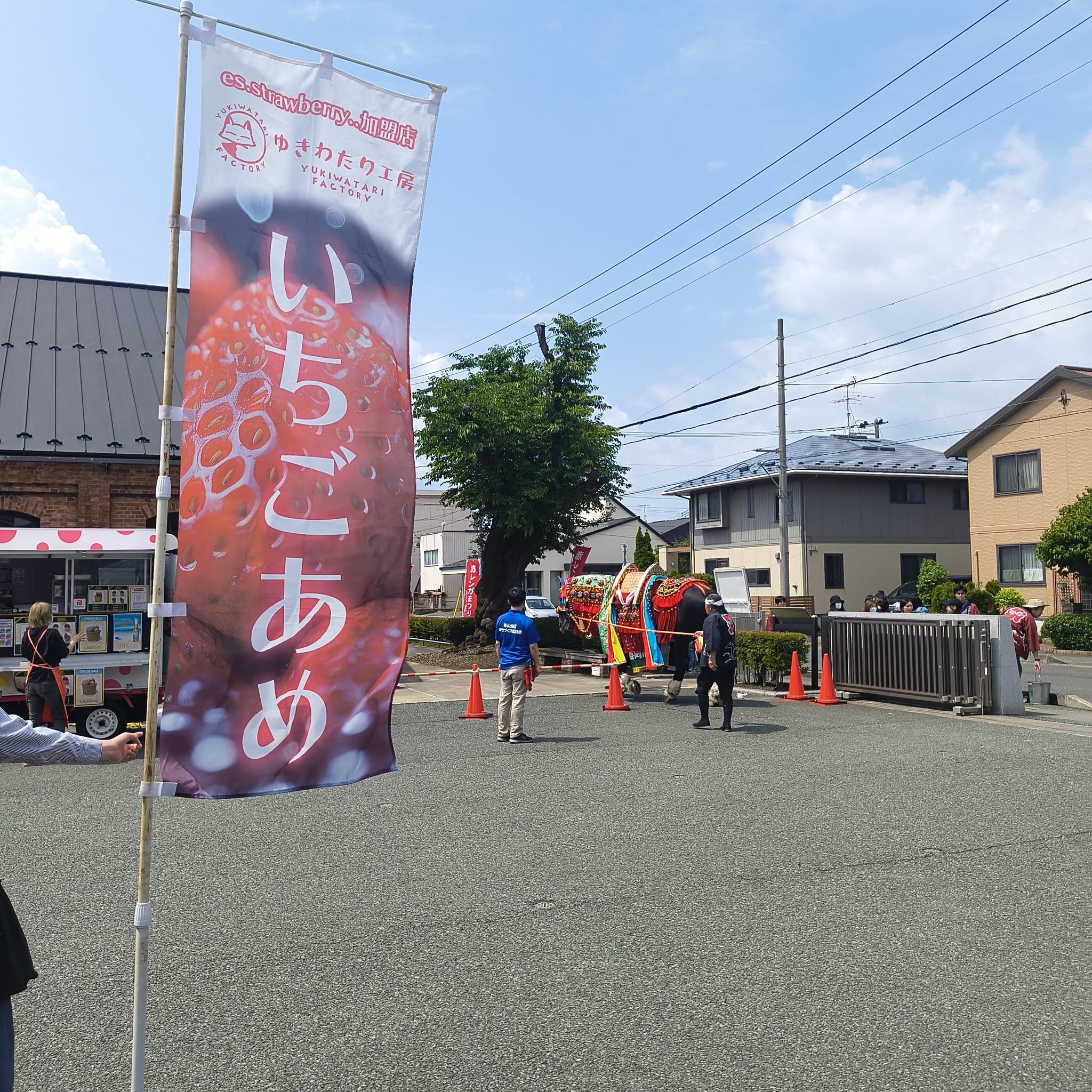
At an event food truck, staff take orders, handle checkout, pass the details to the cooking team and hand the finished items to customers.
Each task may be simple on its own, but things get busy when several orders arrive at once.
“Which order came first?”
“Who ordered this?”
“What did we sell today, and how many?”
Keeping track of all this on paper or by word of mouth can mean more checking back and forth between staff.
I decided to build an app that connects ordering with pickup, so the students could focus on making their products and serving customers.
Managing Everything from Orders to Pickup in One App
The app supports these eight steps:
- Orders and checkout: Take orders at the counter and handle checkout in the app.
- Issue a number: Automatically assign a customer number to each order.
- Notify the cooking team: Automatically send the order details and customer number to the food truck.
- Mark preparation complete: Tap the relevant customer number when the items are ready.
- Show the number on screen: Display the customer number and ordered items on the monitor.
- Hand over the items: Give the order to the customer who has checked their number.
- Check sales: View sales totals at any time.
- Review the event: See sales totals and popular products as soon as the event ends.
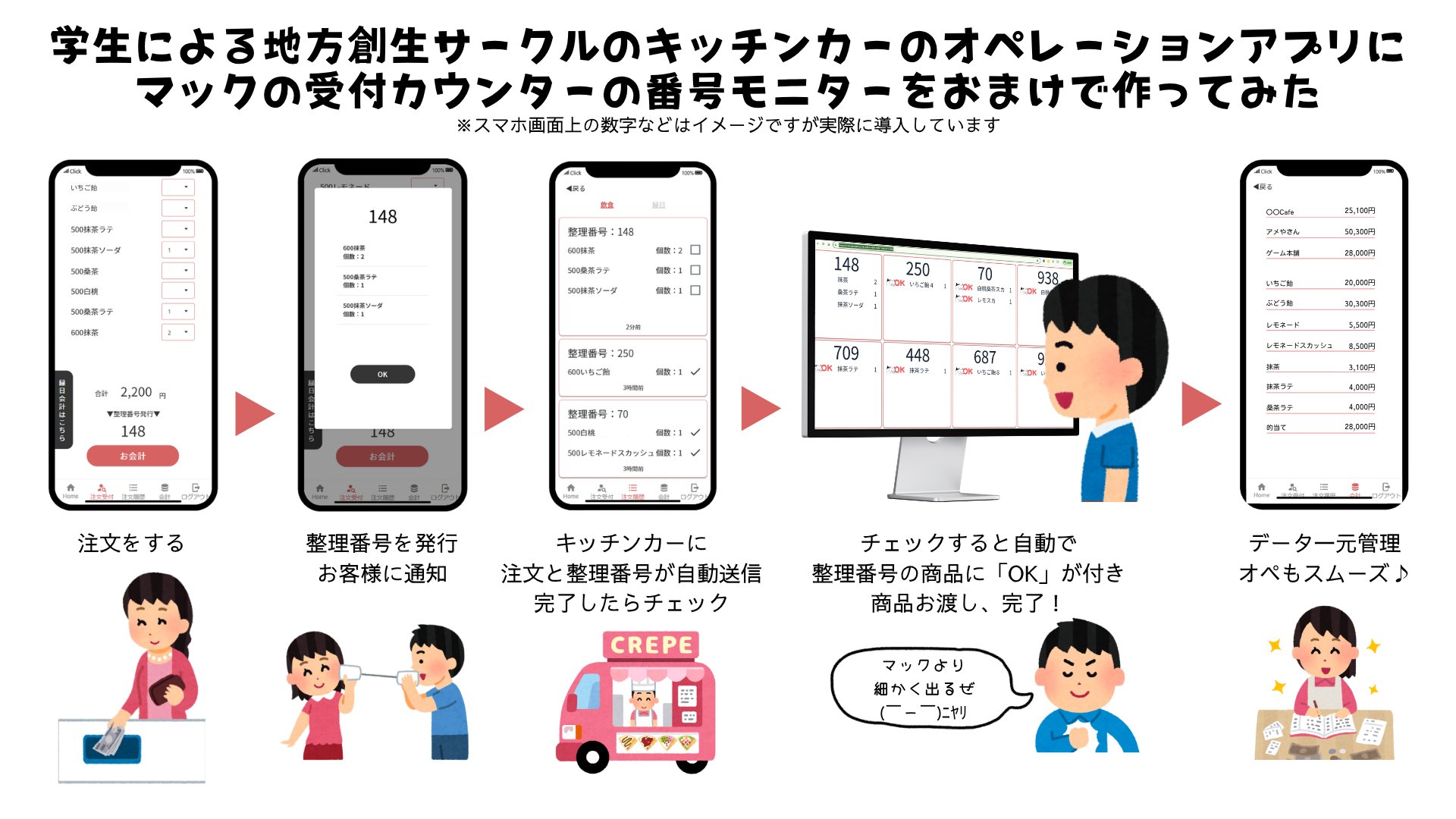
Counter staff, the cooking team and customers.
The app connects each of them with the information they need.
Building an Order Number Display Like the One at McDonald’s!
The customer number display was a playful addition to this project.
You know the screens that display order numbers at a McDonald’s counter?
I tried building one with Click.
When an order comes in, a number is assigned. Once the items are ready, the kitchen team taps that number.
The customer number and product names then appear on the monitor.
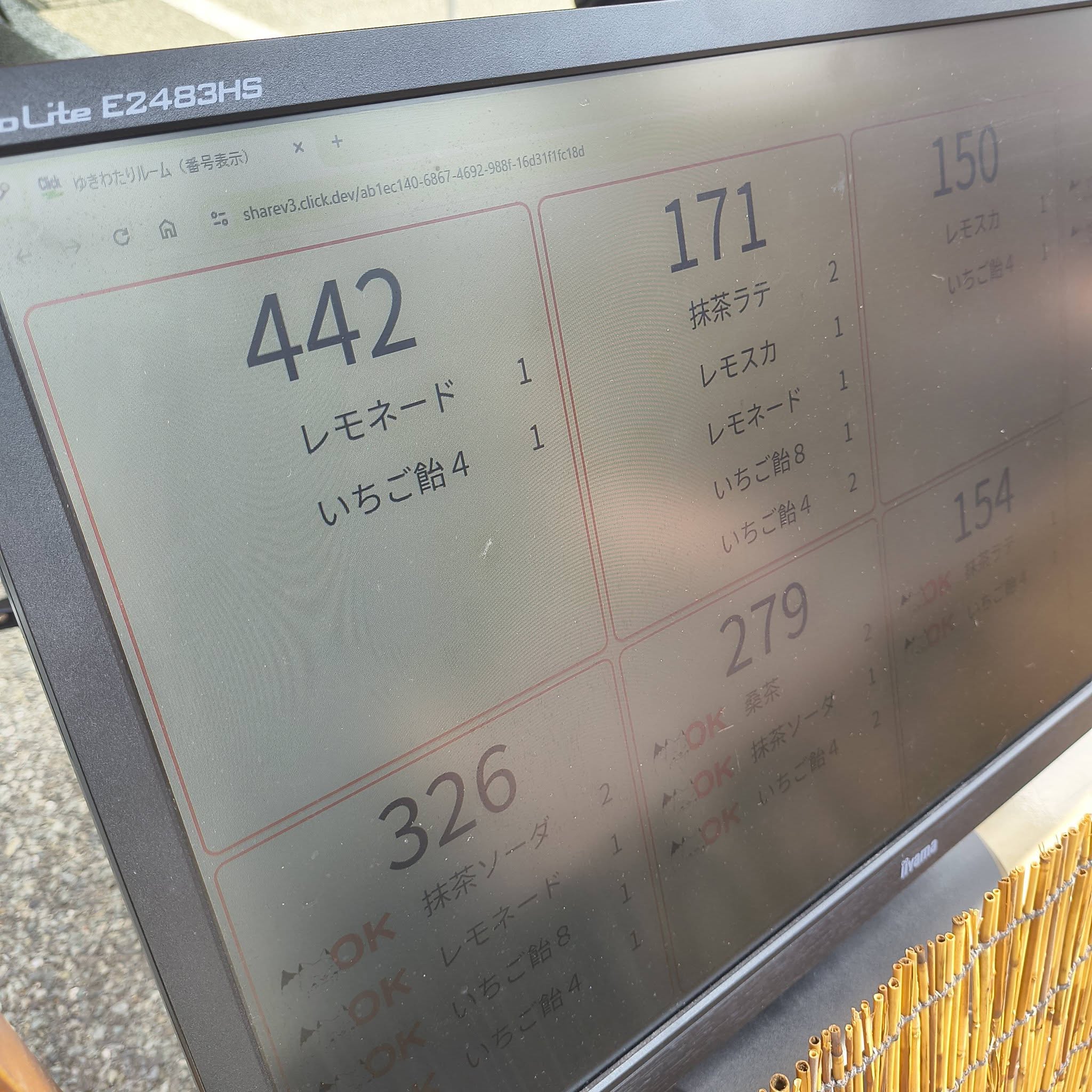
Customers can check their number and collect their order.
I originally thought of this feature as a little extra, but it became an interesting way to support the food truck’s counter operations.
Staff operate the app on smartphones, while order numbers appear on a large monitor.
No-code tools can also connect multiple screens in this way.
Does It Work in Practice? We Tried It During Service
Building an app is only the beginning.
We used this one during actual service when the students brought their food truck to an event.
Register an order at the counter, and the kitchen receives the details.
When the items are ready, the order number display updates.
Then the customer receives their order.
We were able to run this whole sequence as part of the actual operation.
Of course, having an app does not make a successful service on its own.
It was the students who took the orders, prepared the food and handed it to customers.
You all worked so hard — thank you, and well done!
If the app helped support their activities even a little, it was worth building.
Checking Sales Totals on the Spot
Another useful feature is sales data management.
By handling product types, quantities and amounts in the app, staff can check sales totals.
After the event, they can also see how much of each item sold and which products were popular.
Beyond handling checkout, this information can help them decide what to offer and how much to prepare for the next event.
Collecting paper order slips and counting them again later.
The possibility of reducing work like this is another attraction of using an app.
Note: What we confirmed in this project was that the app was used during actual service and supported the sequence from ordering to handing over items. We did not measure figures such as the percentage of working time saved.
With Click, You Can Build a Workflow for a Small Event
For this project, I used the no-code app development platform Click.
Perhaps you do not need a full-scale POS system, but you want something that fits the way you work.
No-code development is one option in that situation.
Bookings, orders, number assignment and sales totals.
Combine the features you need and turn them into an app suited to the people using it.
What matters is building something that works in practice, rather than creating an impressive system for its own sake.
Then use what you learn from trying it to guide the next improvements.
This food truck app became one example of that approach.
Get in Touch About a Small App Project
Alongside comparisons and information about AI and no-code development tools, Appruto welcomes inquiries about small app projects like this one.
Checkout management for food trucks and small shops, event registration, booking systems and survey summaries, for example.
Before committing to a large development budget, you can clarify the features you need and start by trying a small system.
It is fine to begin with a simple question: “Could an app do this?”