
HANDS-ON · Click · Community activities
Building a Booking App for a Children’s Community Dining Event with No-Code Platform Click
A project built and used by Appruto’s operator · Published:
The original app screens and event poster are in Japanese.
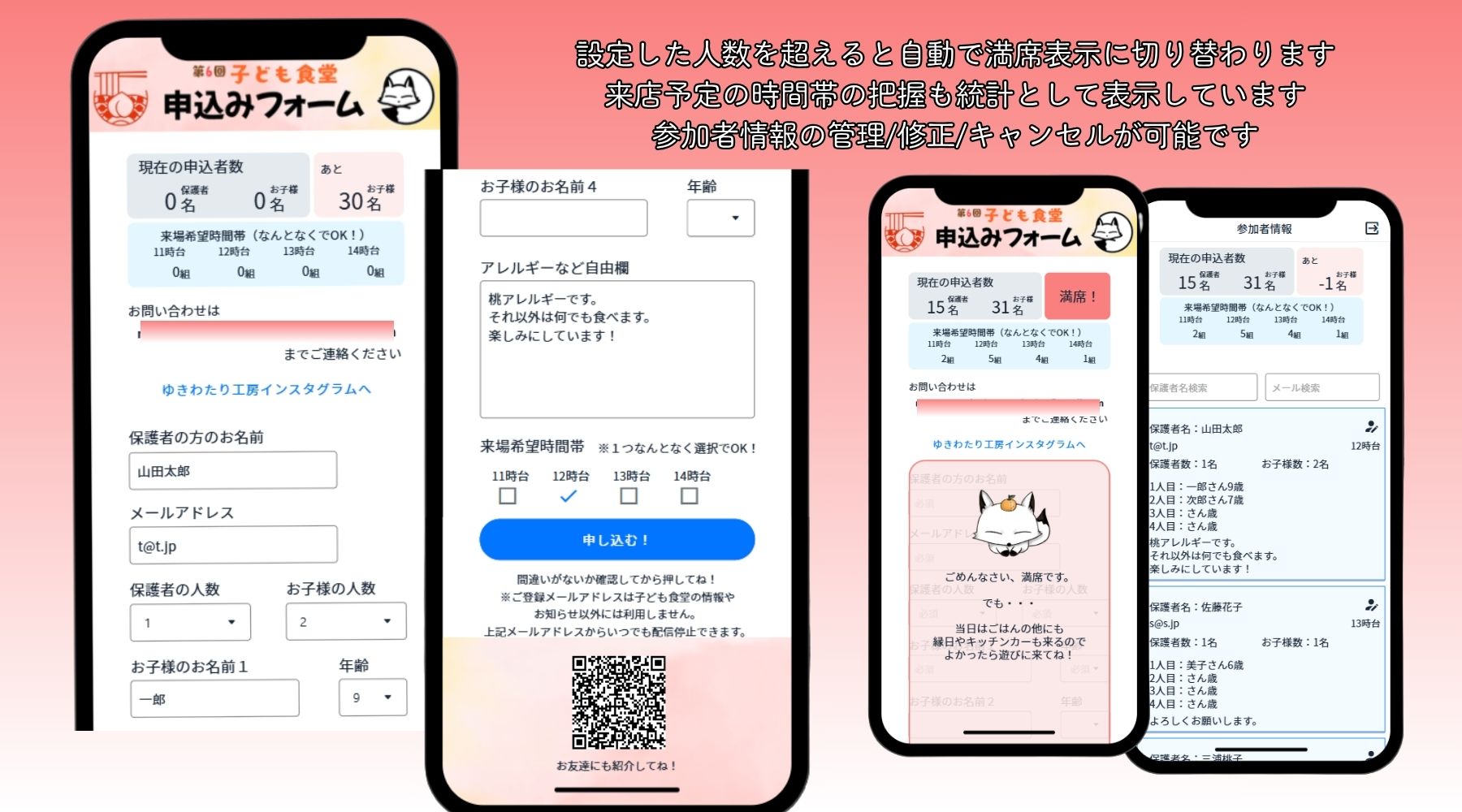
Solving small challenges in the community with an app.
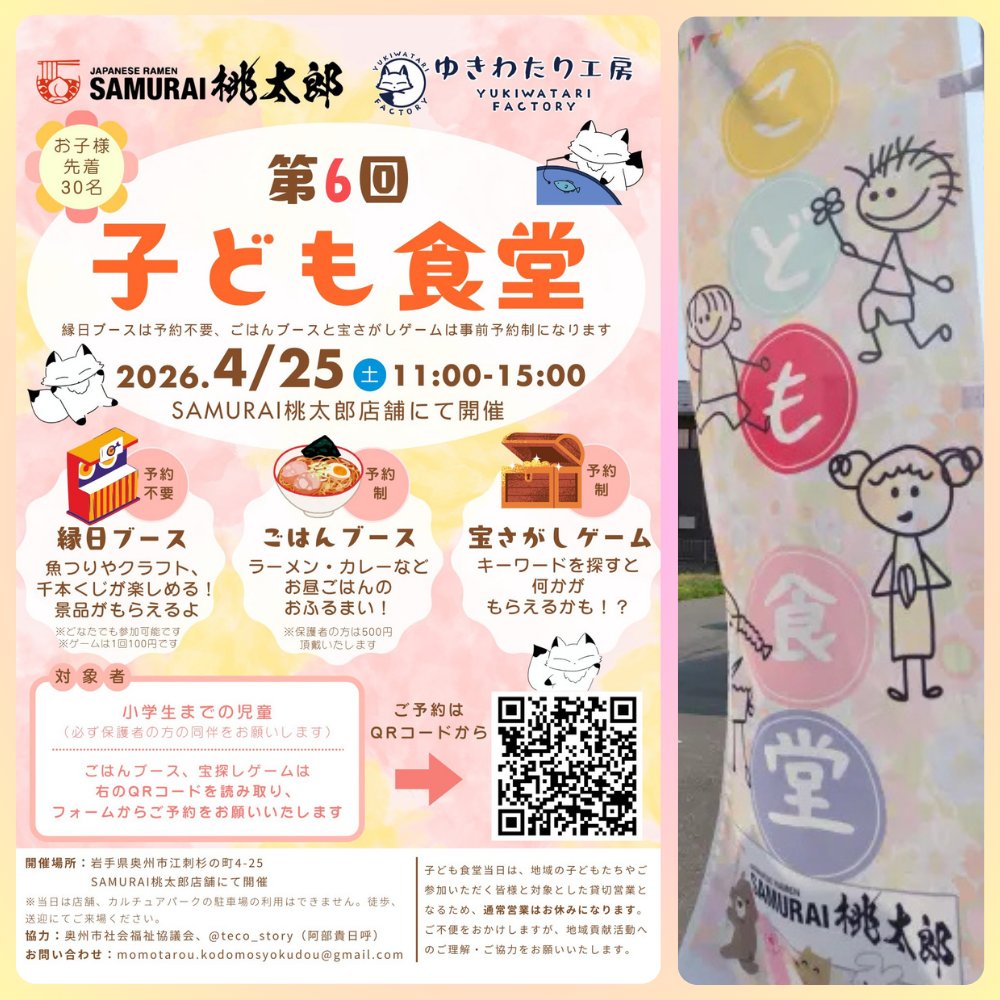
A children’s community dining event, known as a kodomo shokudo, takes place in Oshu, Iwate, Japan. Meeting the students who support this activity led to the creation of a booking management app.
It all started with the Google Form being used to take reservations for the event.
For the event on April 25, 2026, I proposed a system that would do more than accept bookings: it would also show participant numbers, age groups and expected arrival times.
The prototype was ready in about 90 minutes. I then added the features needed in practice, developing it into a booking management app.
A Community Dining Event Run by a Ramen Shop and Students
The event is organized by SAMURAI Momotaro, a ramen shop in Oshu, and Yukiwatari, a student volunteer group working on regional revitalization.
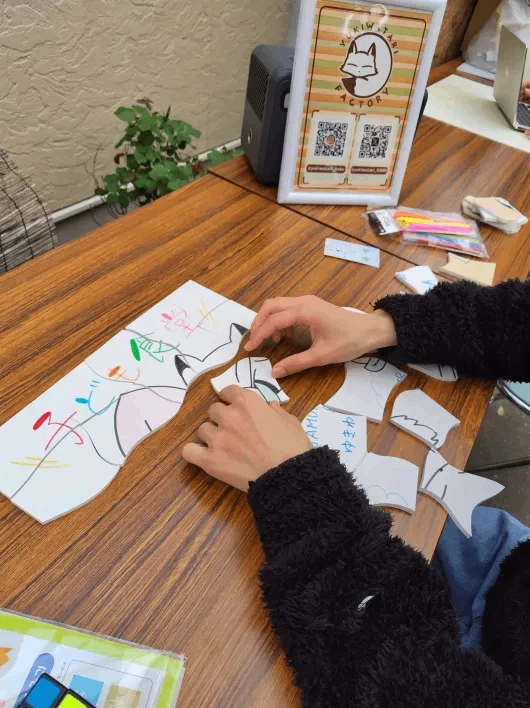
Since 2025, I have helped at the event by running a craft booth where children’s drawings are turned into original jigsaw puzzles.
The children draw freely on foam boards from a 100-yen shop, and I use my model-making tools to turn their pictures into puzzles.
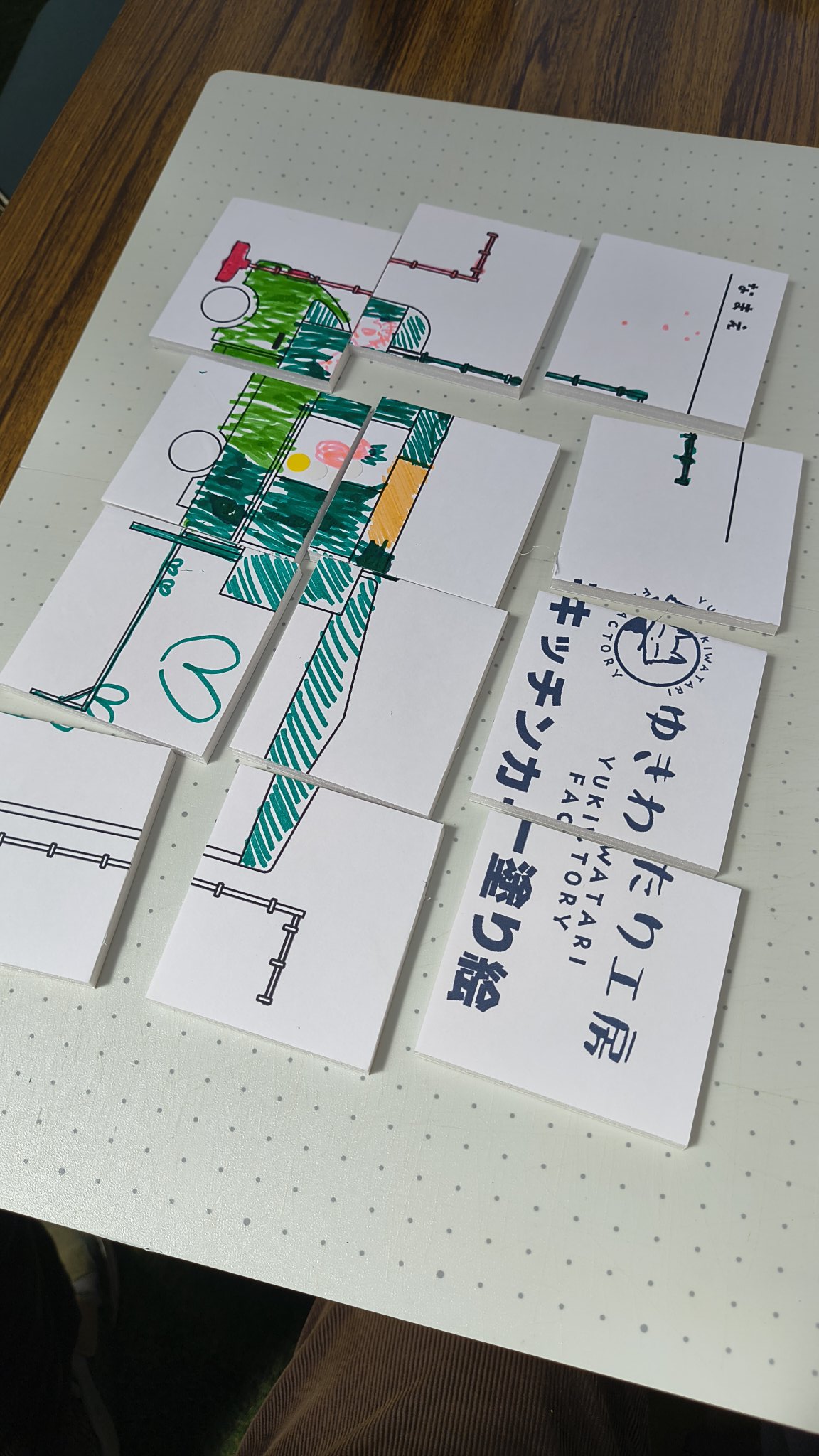
It is a way to put architectural model-making skills to use in children’s play.
In 2026, I decided to support the students in another way alongside the craft activities.
That was app development.
From Google Forms to a Booking Management App
Google Forms is convenient and easy to use. However, events such as children’s community dining sessions may need additional features to manage capacity and participant information.
I proposed the following features:
- Bookings and an automatic fully booked notice: Stop accepting reservations when capacity is reached
- Booking confirmation emails: Notify participants and administrators
- Participant information management: Review and edit bookings, and handle cancellations
- Summaries by arrival time and age group: Help anticipate busy periods and prepare for the event
- A free-text field: Collect information participants want to share in advance, such as allergies
Building the first dedicated app, including its screen design, took a further four to five hours.
My priority was to help the organizers understand expected attendance in advance, as well as make it possible to book.
Fully Booked: Automatic Booking Closure Worked as Intended
By April 14, reservations were gradually coming in, and the app could show expected arrival times and age groups.
Then, on the day before the event, the available places filled up.
The automatic booking closure feature worked as configured.
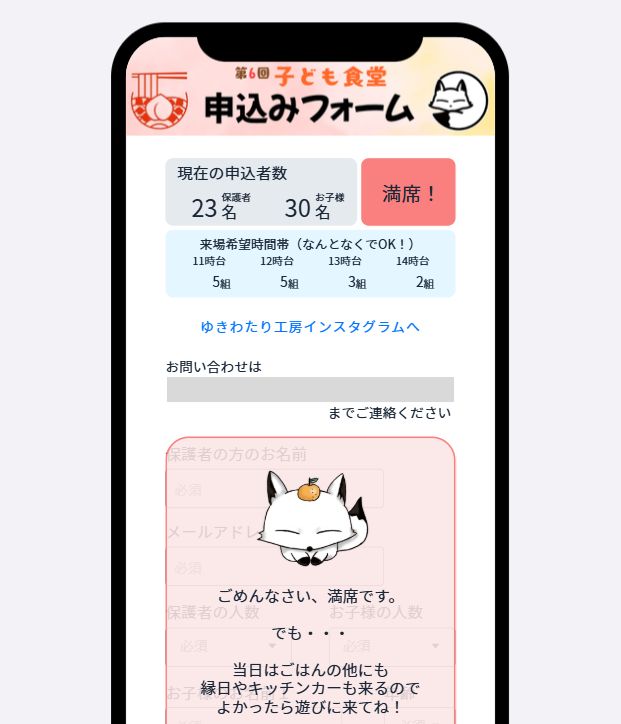
A feature built for a real event was working as intended.
It was a small system, but a rewarding moment as its developer.
Note: The confirmed results are that booking reception and automatic closure worked. Reductions in workload after the event have not been measured numerically.
Adding Surveys to Prepare for Future Events
Having built the app, I wanted to make more use of it.
I redesigned it as a booking and survey app so that it could support smoother operation at future events, rather than serve just one occasion.
Surveys and supporting booking administration had been handled on paper. These tasks can now be completed in a single app. It supports booking management, downloads of attendance data, survey responses and management of data for analysis.
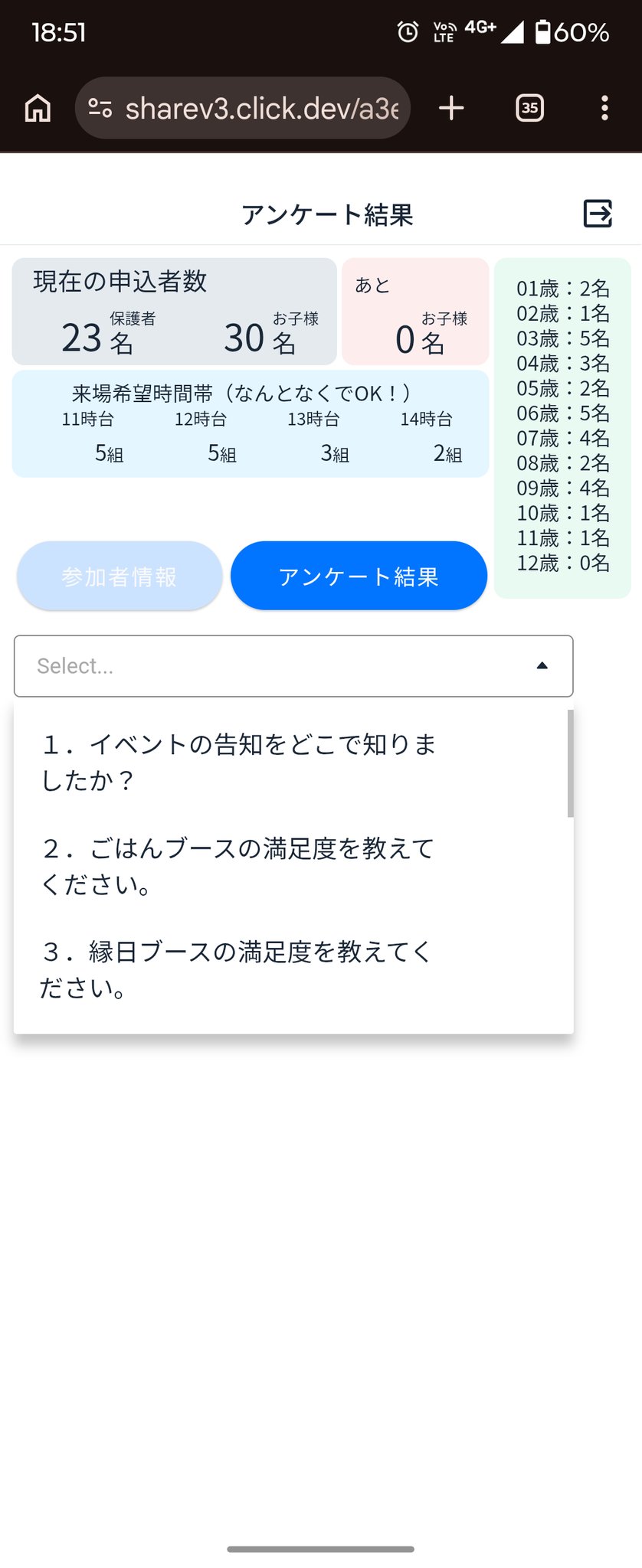
This fuller version took about 20 hours in total to develop. The project evolved into a system that other groups could also use.
App Development Is About More Than Building an App
The children and the people running the event are at the heart of the community dining activity.
The app is simply one tool that supports their work.
If less time is spent organizing reservations, there may be more time for interacting with the children and preparing for the event.
I believe these small improvements are what make an app worth building.
My everyday work in architectural model-making and app development shares the same foundation.
I observe what is in front of me carefully and create something that fits the problem.
A system does not have to be large to be useful. Bringing the necessary features together in a small app can support community activities. Click helps make that possible.
Get in Touch About a Small App Project
Alongside comparing AI and no-code development tools and sharing information, Appruto also welcomes inquiries about small app projects like this one.
Examples include booking management for community events, club membership management, reception for shops and survey analysis.
Instead of starting with a large system, we can work together to identify the features you need and begin with a small prototype.
You are welcome to get in touch even if you are still asking, “Could an app do this?”